








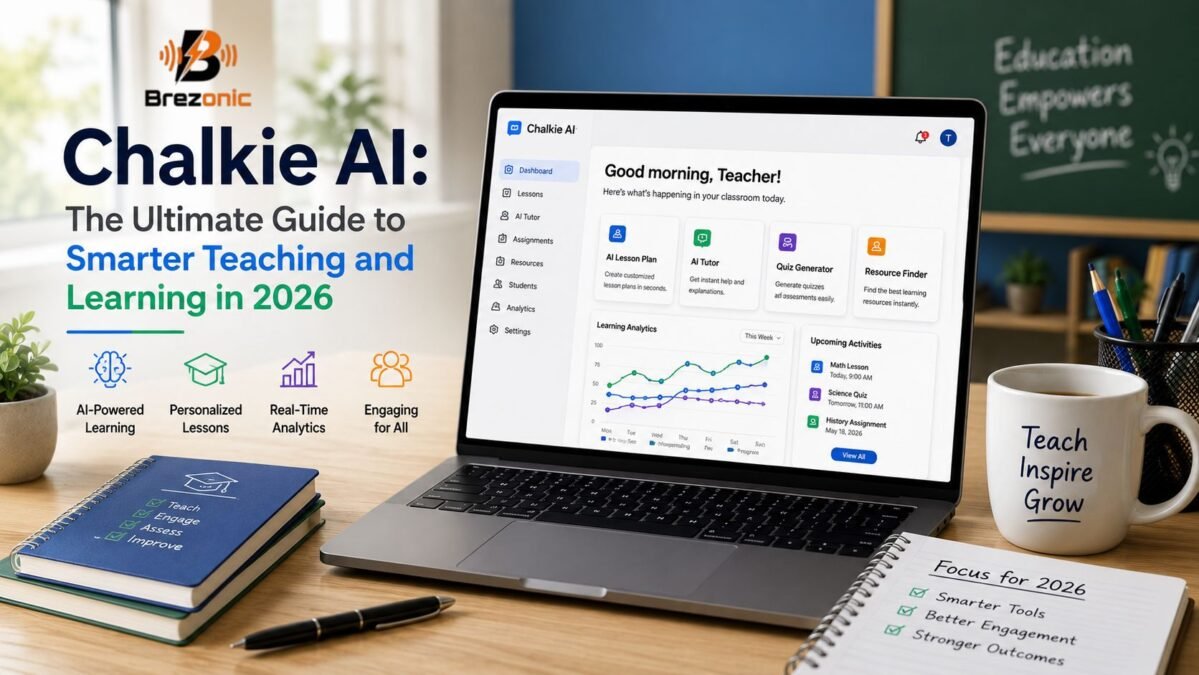
Chalkie AI is changing the way educators plan lessons, design activities, and support students. Among the growing number of education-focused tools, Chalkie AI has gained attention for helping teachers create classroom resources in significantly less time.
Unlike general-purpose AI chatbots, Chalkie AI is designed around practical teaching workflows. Educators can use it to generate lesson presentations, activity sheets, quizzes, vocabulary tasks, and connected lesson series. The platform does not replace professional teaching judgment. Instead, it provides a useful starting point that teachers can review, personalize, and adapt for their classrooms.
Quick Information
| Basic Information | Details |
|---|---|
| Platform Name | Chalkie AI |
| Platform Type | AI-powered educational resource generator |
| Primary Purpose | Creating lessons, worksheets, presentations and activities |
| Designed For | Teachers, tutors, homeschoolers and education professionals |
| Availability | Web-based platform |
| Pricing Model | Free and paid subscription plans |
| Features and Uses | Details |
|---|---|
| Main Features | Lesson generation, quizzes, worksheets and lesson series |
| Supported Subjects | Suitable for multiple school subjects and topics |
| Curriculum Support | Offers alignment with supported curricula and standards |
| Customization | Teachers can edit wording, activities, difficulty and layout |
| Export Options | Resources can be presented, printed, shared or exported |
| Best Known For | Reducing lesson-planning time while keeping teachers in control |
What Is Chalkie AI?
Chalkie AI is an AI-powered lesson creation platform developed primarily for teachers. It turns basic instructions such as a topic, subject, grade level, or learning objective into structured educational materials.
A teacher planning a lesson about the water cycle, for example, can enter the topic, choose the appropriate year group, and select a curriculum. Chalkie AI can then generate a presentation containing learning objectives, explanations, important vocabulary, examples, activities, and review questions.
The generated content is editable, allowing teachers to change the language, reorganize slides, remove unnecessary information, or add their own classroom examples.
Chalkie AI is best understood as a planning assistant rather than an automatic teaching system. It helps educators prepare materials, but the teacher remains responsible for checking accuracy, selecting suitable activities, and delivering the lesson effectively.
How Does Chalkie AI Work?
The platform follows a relatively straightforward creation process.
First, the teacher chooses the type of resource they want to produce. This may include an individual lesson, a sequence of lessons, an activity sheet, or an assessment-style resource.
Next, the teacher provides details such as:
- The lesson topic
- Subject area
- Student age or grade level
- Curriculum or educational standard
- Desired learning outcomes
- Preferred activity type
- Any special instructions
Chalkie AI processes this information and produces a structured resource. The teacher can then review and edit the result before presenting, sharing, exporting, or printing it.
The quality of the final material depends heavily on the information entered. A broad instruction such as “create a science lesson” may produce generic content. A more detailed prompt such as “create a 45-minute Year 6 lesson explaining electrical circuits, including key vocabulary and a short exit ticket” is likely to generate a more useful starting point.
Key Features of Chalkie AI
AI Lesson Generator
The lesson generator is one of the platform’s central features. It can create presentation-style lessons on a wide range of subjects and topics.
A generated lesson may include an introduction, learning objectives, key terms, explanations, examples, discussion questions, classroom tasks, and a final review. This structure can help teachers move from a blank page to an organized lesson more quickly.
Curriculum-Aligned Content
Curriculum alignment is particularly valuable for educators who must connect classroom activities with national, regional, or state standards.
Teachers can select an available curriculum or educational framework when creating materials. The system then attempts to organize the lesson around relevant expectations.
However, AI-generated alignment should always be checked. Curriculum documents can be detailed, and a generated lesson may not cover every requirement or interpret a standard exactly as a school expects.
Lesson Series and Unit Planning
Some topics cannot be taught effectively in a single session. Chalkie AI can help educators develop a connected series of lessons rather than creating each class separately.
A lesson series may introduce foundational knowledge first, build complexity over time, include regular recaps, and finish with an assessment or review. This can be especially helpful when planning science units, historical periods, writing programs, or multi-stage mathematics topics.
Worksheets and Activity Sheets
Teachers can create printable or digital activity sheets related to a lesson. These may contain multiple-choice questions, short-answer tasks, gap-fill exercises, vocabulary activities, matching questions, and extended responses.
The ability to produce a worksheet based on an existing lesson can improve consistency. Students receive practice that is more closely connected to what was presented in class.
Classroom Activities
Chalkie AI can suggest or generate activities that make lessons more engaging. Depending on the topic, these may include sorting tasks, image-matching exercises, discussion prompts, vocabulary challenges, knowledge checks, and collaborative activities.
These resources can be useful when a teacher needs a quick starter, mid-lesson task, extension exercise, or plenary activity.
Editable Presentations
AI-generated content should rarely be used without review. Chalkie AI allows teachers to edit the material so it fits their teaching style and classroom situation.
Educators can simplify explanations, replace examples, adjust the difficulty level, add school-specific instructions, and remove anything that is not relevant. This flexibility is essential because two classes studying the same topic may have very different needs.
Exporting and Sharing
Completed materials may be presented directly or exported for use with common classroom tools. Export and sharing options can make it easier for teachers to fit Chalkie AI into an existing workflow instead of rebuilding every resource elsewhere.
Available formats, limits, and integrations may depend on the user’s plan and the platform’s current features.
How Chalkie AI Supports Smarter Teaching
One of the biggest potential benefits of Chalkie AI is time savings. Lesson preparation often involves researching a topic, creating slides, finding examples, writing questions, and designing follow-up activities. Completing every step manually can take hours.
Chalkie AI can produce an initial draft in a much shorter period. The teacher can spend the remaining time checking the content and improving it.
This shift is important. Rather than using most of a planning session to format slides or write basic questions, educators can focus on more meaningful decisions:
- Which examples will connect with this class?
- Where are students likely to struggle?
- What misconceptions should be addressed?
- Which pupils need additional support?
- How will understanding be assessed?
The platform can also help teachers overcome the “blank page” problem. Even when the first generated resource is imperfect, it offers a structure that can be refined.
How Chalkie AI Can Improve Student Learning
Students do not benefit simply because a lesson was created with AI. They benefit when technology helps a teacher produce clearer, more focused, and more responsive instruction.
Chalkie AI can support learning by helping educators present information in a logical order. Learning objectives can clarify what students are expected to understand, while vocabulary sections introduce important terms before more difficult explanations.
Quizzes and review activities can also provide opportunities for retrieval practice. Instead of only listening to information, students are asked to remember, explain, compare, or apply what they have learned.
Activity sheets can reinforce important ideas after a presentation. Teachers may also use differentiated versions of an activity to provide additional support or greater challenge.
The strongest learning outcomes are likely to occur when AI-generated materials are combined with teacher explanation, classroom discussion, practical activities, feedback, and independent thinking.
Using Chalkie AI for Differentiated Instruction
Every classroom contains students with different levels of knowledge, confidence, language ability, and learning needs. A single worksheet or explanation may not work equally well for everyone.
Teachers can use Chalkie AI to create variations of the same resource. For example, an educator might request:
- A simplified explanation for students needing extra support
- A standard activity for most of the class
- A more demanding extension task for advanced learners
- A vocabulary list for multilingual students
- Additional examples for students who require more practice
Differentiation should not mean lowering expectations unnecessarily. The goal is to provide suitable routes toward the same essential learning outcome.
Teachers should review every version carefully to ensure that the language, difficulty, and instructions are appropriate.
Best Practices for Using Chalkie AI
To get better results, teachers should provide specific instructions. The prompt should describe the audience, subject, time available, learning objective, and type of activity required.
It is also helpful to treat the first output as a draft. Check facts, calculations, spelling, dates, definitions, and curriculum references. AI systems can produce confident-looking information that is incomplete or inaccurate.
Teachers should personalize the resource with familiar examples, local context, and their own professional knowledge. A lesson becomes more meaningful when it reflects the students who will actually experience it.
Educators should also consider accessibility. Slides should not contain excessive text, worksheets should have clear instructions, and visual materials should be easy to understand. Students who require accommodations may need adjusted formatting, alternative tasks, or additional guidance.
Finally, schools should follow their own data-protection and AI-use policies. Personally identifiable student information, confidential records, health details, or sensitive assessment data should not be entered unless the school has clearly approved that use.
Limitations of Chalkie AI
Chalkie AI can reduce preparation time, but it is not a perfect or fully automatic solution.
Generated content may occasionally include factual mistakes, awkward wording, repetitive activities, or inappropriate levels of difficulty. A lesson that looks polished may still lack depth or fail to address a common misconception.
Curriculum alignment can also require human verification. Teachers understand the sequence of learning, assessment expectations, and school priorities in ways that an automated tool may not.
AI cannot read the mood of a classroom, notice confusion on a student’s face, manage a sensitive discussion, or provide the emotional support that learners sometimes need. These responsibilities remain deeply human.
There is also a risk of lessons becoming too similar if educators rely repeatedly on automatic generation. Teachers should continue bringing creativity, stories, practical experiences, debate, experimentation, and student choice into their classrooms.
Who Should Use Chalkie AI?
Chalkie AI may be especially useful for:
- Classroom teachers managing heavy planning workloads
- Newly qualified teachers seeking lesson structures
- Substitute teachers who need resources quickly
- Tutors preparing personalized learning materials
- Homeschooling parents organizing subject-based activities
- Department leaders creating consistent resources
- Educators developing lessons across different age groups
Experienced teachers can also benefit from the platform. They may use it for brainstorming activities, refreshing old materials, generating assessment questions, or creating a first draft for an unfamiliar topic.
Is Chalkie AI Worth Using in 2026?
Chalkie AI can be a valuable tool for educators who want to speed up lesson creation without surrendering control over the final resource. Its greatest strength is not that it teaches on behalf of the educator, but that it handles part of the preparation process.
The platform is most effective when teachers use it thoughtfully. Clear prompts produce better drafts, careful review protects accuracy, and personalization turns generic material into a lesson suited to a real classroom.
Educators should explore the available free or introductory options before choosing a paid plan. This makes it possible to test the quality of generated lessons, available curriculum settings, export tools, and monthly usage limits.
Chalkie AI is an artificial intelligence-powered educational platform designed to help teachers create lessons, presentations, worksheets, quizzes, and classroom activities. It provides editable resources based on the teacher’s chosen topic, subject, grade level, and curriculum.
Chalkie AI offers a free plan that allows teachers to explore its basic lesson and resource creation tools. Paid plans may provide higher usage limits and additional features, such as longer lesson series, curriculum alignment, custom designs, and more AI edits. Prices and plan features may change over time.
The platform is mainly designed for classroom teachers, tutors, homeschooling parents, substitute teachers, department leaders, and other education professionals. It can support both new and experienced educators who want to reduce lesson-planning time.
Final Thoughts
Chalkie AI represents a practical direction for educational technology in 2026. It helps teachers create lessons, presentations, worksheets, activities, and connected learning sequences more efficiently.
Its value comes from giving educators more time for the work that requires human understanding: supporting students, explaining difficult concepts, responding to misconceptions, and building an encouraging classroom environment.
Chalkie AI should not replace teacher creativity or professional judgment. Used responsibly, however, it can become a reliable planning partner. The smartest approach is not to let AI control education, but to use it as one carefully supervised tool for making teaching more focused, flexible, and manageable.